Email right inside your CRM, without a separate email client

Read, write and organize client emails right where your client data lives

Free Trial
Gmail, Outlook and Mail app icons on a phone screen

Why keep email in your CRM?

Most client relationships start with an email. When your email client and your CRM are separate, you have to copy data over by hand, download files and upload them again – and it's easy to lose track of which email belongs to which client or quote.

CoreCRM's email module lets you use your connected account right inside the CRM: read, reply, forward, and turn an incoming email into a client or a quote with one click. We don't store your emails – they are fetched directly from your mail server every time you open them.
Three steps to going live

  1. 1

    Sign up

    A 30-day trial with no card details. The system is ready to use right after registration.

  2. 2

    Bring your data over

    Clients, products and services can be imported from Excel or your previous CRM, at no extra cost.

  3. 3

    Configure and go live

    Set up roles, departments, your email account and invoicing, then start working.

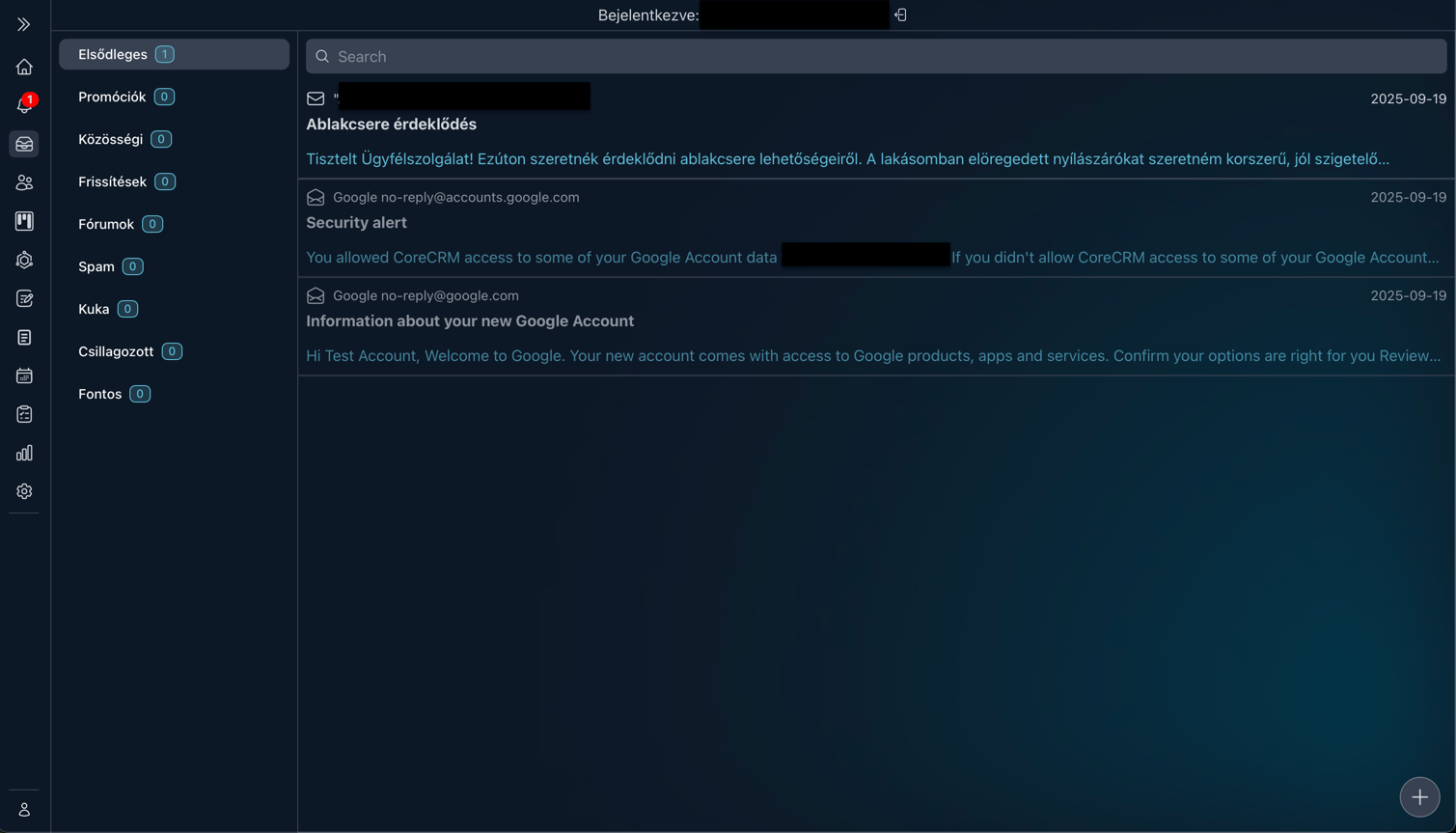
Built-in email in the CRM: inbox with folders and search

All your emails and folders where you expect them

After signing in, you see not just your incoming emails but also the folders you've created in your account. The search box above the list helps you find messages quickly, and the quick menu lets you move, delete, star or mark an email as read.

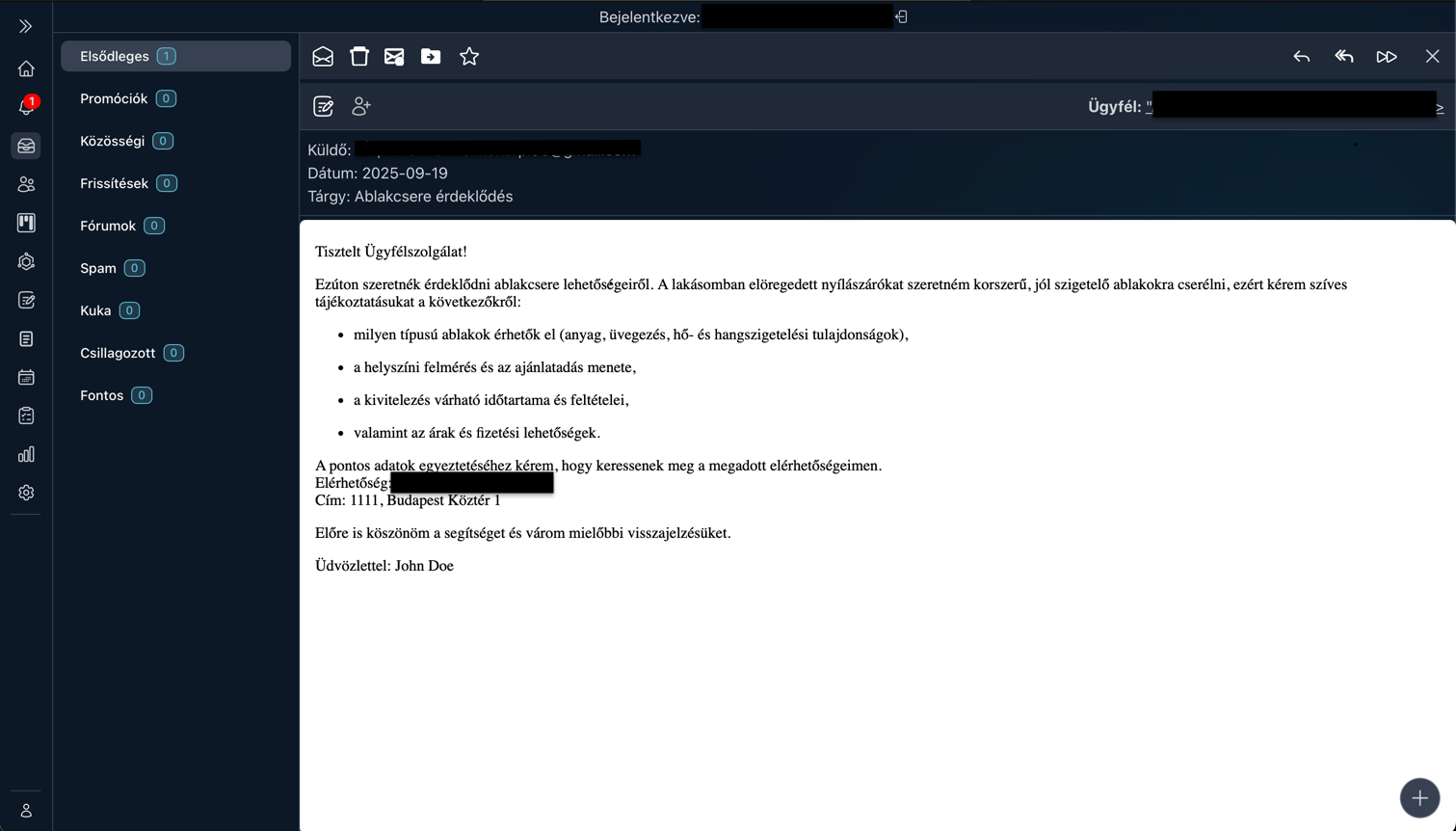
An opened email from which a client or a quote can be created with one click

Clients and quotes from emails, in one click

There's no need to copy a new lead's email by hand: the buttons above an opened email let you create a client or a quote from it. You can also see which client the email belongs to, and reply, reply all and forward work just like in any email client.

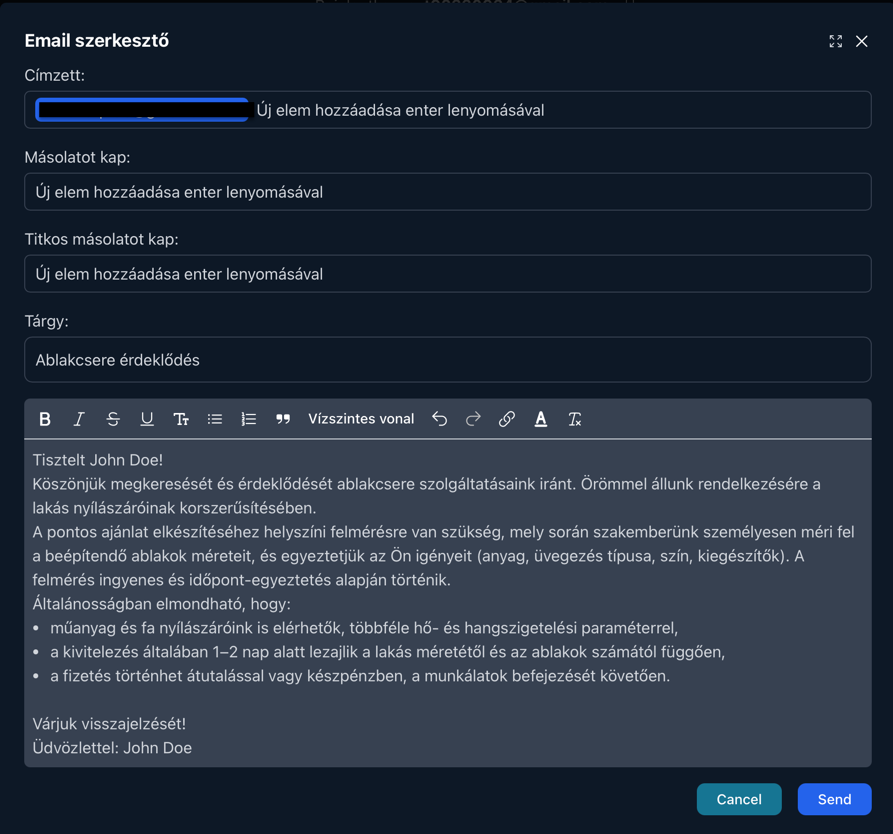
Email editor with recipient, CC, BCC and subject fields and a rich-text body

Write emails and send files from the CRM

Start a new email with the button in the corner of the screen, with recipients, CC, BCC and formatted text. You can also send files from the CRM – orders, quotes, invoices or any uploaded document – and write to a client directly from their profile.

Typical situations

How the built-in inbox saves you time

New lead

A quote request arrives: one click turns it into a client, and the next into a quote – based on the email, without copying anything.

Sending a quote

You send the finished quote or order straight from the CRM, with no need to download and re-attach it.

Client question

You see which client the email belongs to, so one click takes you to their profile, where their quotes and orders are also waiting.

Sending an invoice

You send the issued invoice to the client from the CRM, without opening your email client.

How the 30-day trial works

  • No card details: Signing up does not ask for any payment information.
  • The whole system: Every feature is available during the trial - you are not getting a cut-down version.
  • The whole team: You can invite your colleagues too, so you can decide based on real use.
  • No automatic charge: Without payment details no subscription starts on its own when the trial ends.
  • Your data stays: If you subscribe, you carry on with the data you entered during the trial.
Free Trial

Frequently asked questions about email

Which email accounts can I connect?

At the moment, accounts connected via SMTP/IMAP – typically the business email address on your own domain. A direct Google integration is currently under audit, and an Outlook integration is planned.

Does CoreCRM store my emails?

No. The system doesn't save any emails: it fetches the data directly from your mail server every time you open them.
Where do I find my SMTP/IMAP details?

If your address is on your own domain, your domain or hosting provider usually sends these details to the email address you used to order the service.

Do I need a permission to use email?

Anyone can use the email module, but setting up an account's SMTP/IMAP details requires a separate permission.

Can I send quotes or invoices from the CRM?

Yes. You can send orders, quotes, invoices or any uploaded file straight from the CRM, without downloading and re-attaching them.

Connect your email account today

Try CoreCRM free for 30 days, no credit card required. We walk you through connecting your account and using the inbox step by step in our Knowledge Base.

Free Trial
This website uses cookies to provide personalized content, analyze traffic, and improve site functionality. By clicking the "Accept" button, you consent to the use of cookies.