Notifications
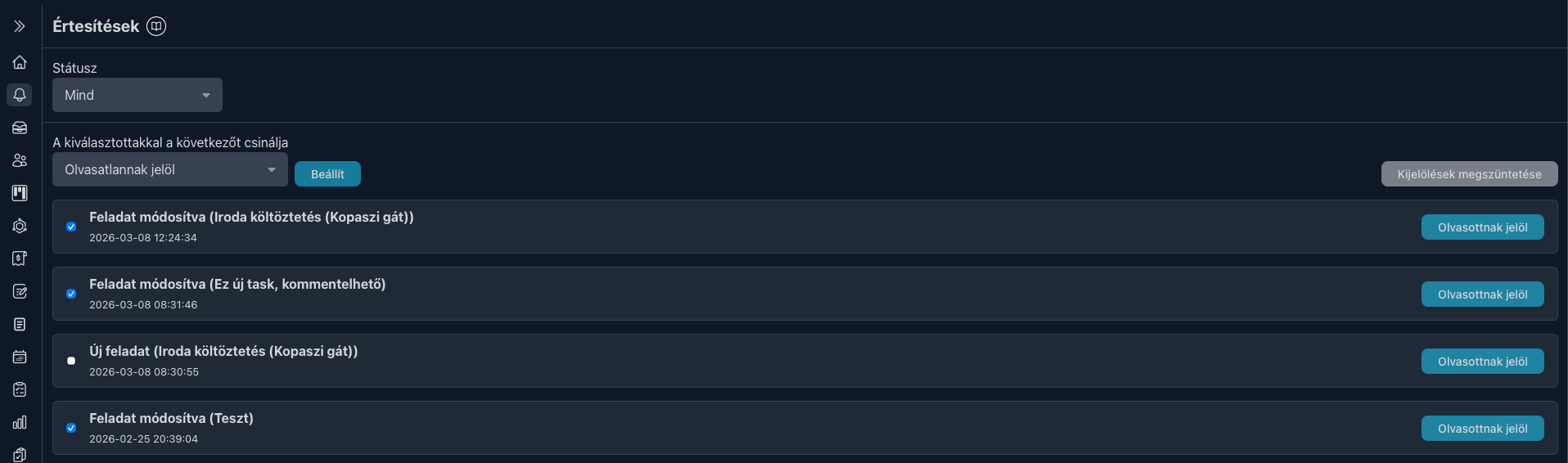
On this page you can see what notifications you have received. You will get notifications about events that are related to you in some way, for example when you receive a new task or client, an important comment is added to a task, etc.
The number of unread notifications is also visible in the menu inside a red circle. If you have no unread notifications, this indicator will not appear.

At the end of each row you will find a "Mark as read" button, which naturally marks the given notification as read. Similarly, you can also mark a read message as unread if it is important and you do not want to forget about it.
You also have the option to perform bulk actions. Above the list on the right side you will find a "Select all" button. When you click it, a dropdown menu will appear on the left side where you can choose what you want to do with the selected items: mark them all as read or unread.
If there is an item in the list that you would like to exclude from the bulk action, you can do that as well by simply clicking the checkbox at the beginning of the given row.